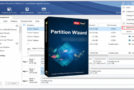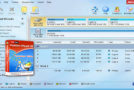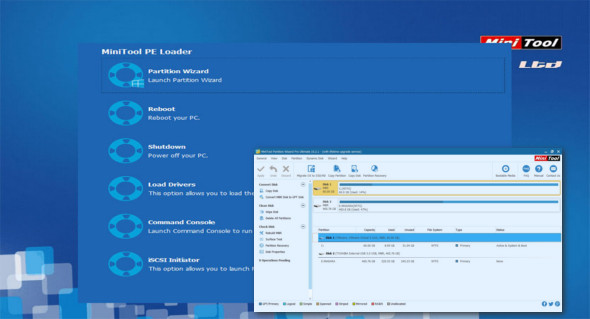
MiniTool Partition Wizard Professional is a comprehensive and advanced Windows partition management tool that helps you perform a number of drive management functions on Windows partitions, such as copying, merging, extending, erasing, deleting, formatting, and more. This ultimate software gives you complete control and great flexibility over your hard drive. Organize and manage your drives as you see fit.
MiniTool Partition Wizard Professional should be considered the best HDD manager software for anyone using the Windows operating system, whether Windows XP or Windows 10. Professional disk management utilities are capable of performing advanced tasks such as resizing/moving a partition, merging partitions, splitting a partition into multiple partitions, as well as creating, copying, formatting, deleting a partition, etc., with just a few mouse clicks!
The software helps you convert partition formats such as FAT, MBR, and GPT disks; copy and convert dynamic disks; modify cluster sizes; change labels, partition IDs, and serial numbers; define partitions as logical or primary; and copy entire partitions to unallocated space with high values. It features efficient file-by-file transfer technology and allows you to quickly and easily copy entire disks to another disk using data cloning technology.
The software supports Linux Ext2, Ext3, and Ext4 file systems, 32-bit and 64-bit Windows operating systems, and up to 32 hard drives in a single system, even drives with a maximum capacity of 2TB. MiniTool offers greater flexibility. It makes changes to the partition without any risk of data loss thanks to its recovery mode.
MiniTool Partition Wizard Professional functionality:
– Create, copy, extend, resize, merge, split partitions
– Format, erase, and delete partitions
– Copy hard drive, dynamic disk, UEFI boot disk
– Move the boot/system volume to the dynamic disk
– Convert NTFS, GPT disk, MBR disk, dynamic disk, basic disk
– Easily configure partitions as logical, primary, or active partitions
– Hide and show the drive, set the drive label or letter
– Modify the cluster size, serial number, and partition identifier
– Rebuilt MBR, supports RAID
– Test Disk Surface and Partition Surface
– Support for a 4096-byte sector-based hard drive
Configuration :
– Windows (x32/x64 Bits): XP, Vista, 7, 8, 8.1, 10
– Processor: 1 GHz
– RAM: 1 GB
Language : English
Size : 388.5 MB
This article was updated on January 25, 2019