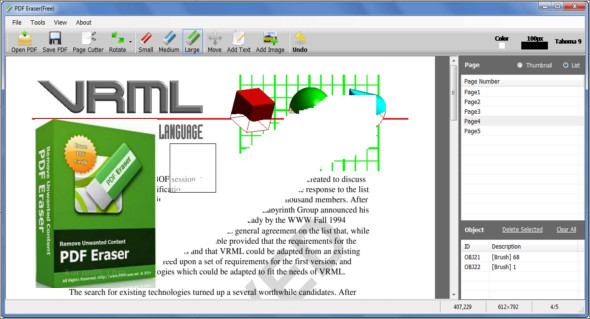
The PDF Eraser application allows users to remove part of the original content of a PDF file, easily removing all unnecessary objects from PDF files such as logos, images and text, as well as adding text and your own image.
Furthermore, thanks to the program's built-in PDF Page Cutter tool, PDF Eraser allows users to remove unwanted PDF pages from numerous scanned PDF documents. The PDF Eraser software also includes a PDF rotation function to properly rotate PDF pages.
PDF Eraser Feature
– If you get a PDF document containing unwanted text and images, you can use the PDF eraser to delete it and save it in a new PDF file.
– You can also use the program to add your texts and images in PDF format.
– Rotate the PDF pages as well. This will help you rotate the PDF pages in the correct direction.
– Some PDF pages may be unnecessary. You can therefore use the built-in PDF page trimming tool to remove unwanted pages.
Version : 1.9.4.4
Language : English
Size : 16.14 MB
Configuration:
– Windows (x32/x64 Bits): 7, 8, 8.1, 10
– Processor: 1 GHz
– RAM: 1 GB
PDF Eraser Pro 1.9.4.4 + Portable
This article was updated on June 11, 2019