Network problems can stem from several different causes, including network congestion or a local network user who is downloading and therefore using bandwidth.
Wi-Fi network hacking is well-known and generally consists of retrieve the network password in question. Specialized tools such as Aircrack They exist for this purpose. In particular, they exploit weaknesses in encryption methods so that they can recover the key by receiving and analyzing sufficient network traffic.
We will therefore use a program that is also specialized, but this time in detecting hackers in our network.
The program that allows us to know who is using our wifi is called "Who is on my wifi" and can be downloaded for free at the following address:
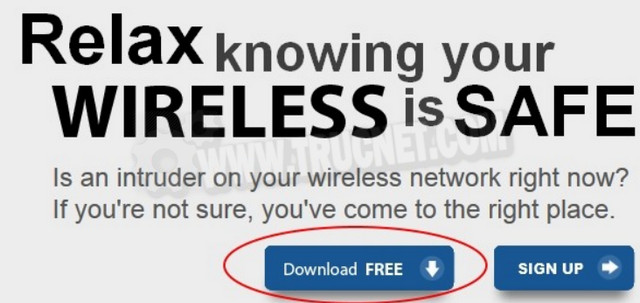
The website is in English; start by clicking on "Download FREE". The program is available for Windows, Mac, Android, and iPhone.
Here is the direct link for the Android application:
https://play.google.com/store/apps/details?id=com.whoisonmywifi.agent
And the direct link for the iPhone app:
https://itunes.apple.com/us/app/who-is-on-my-wifi/id770969761?ls=1&mt=8
Upon launch (here on the PC version), you'll be guided through a short tutorial to mark "known" computers. The program will then continuously monitor your network and notify you of new connected users (who haven't been marked previously).
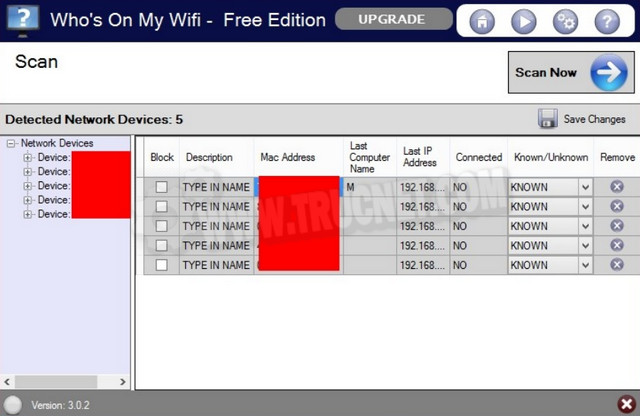
Here for example, I have 5 PCs recognized on my network, this was expected and I know who is using my wifi:
PS: Who's On My Wifi isn't the only program of its kind; others exist, particularly for Android, such as Fing.
https://play.google.com/store/apps/details?id=com.overlook.android.fing
Secure the Wi-Fi network
Once you have discovered a hacker on your network (or as a simple security measure), you will be able to secure it properly.
To do this, you need to change your password and make it harder to crackUnfortunately, the procedure varies depending on the specific box. If you're unsure how to proceed, it's best to visit your internet service provider's official website to find the instructions.
Next, choose an encryption key. WPA 2 if possible. You can also set a password to access theadministration of your box.
You are often asked to change the SSID (Service Set Identifier) of your network in such a way as not to reveal to hackers that you are using a default configuration and are therefore potentially a beginner. That said, this will not change the fact that a hacker can still retrieve your Wi-Fi password.
This article was updated on March 13, 2016