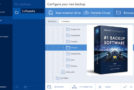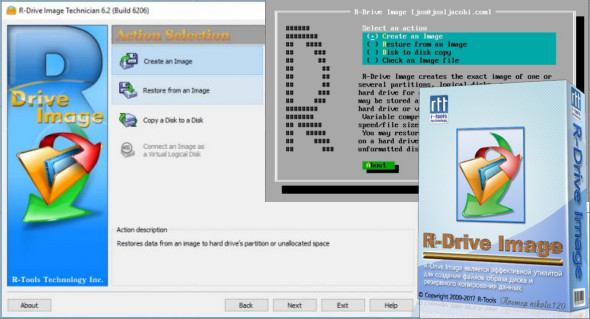
R-Drive Image is one of the best backup and recovery solutions to prevent data loss after a fatal system failure. Using R-Drive Image, you can quickly and completely restore your system after significant data loss caused by an operating system crash, virus attack, or hardware failure. You can also use Acronis True Image.
R-Drive Image Features:
– A simple assistant interface — no advanced IT management skills are required.
– On-the-fly actions: Image files are created on the fly, eliminating the need to shut down and restart Windows. All other disk writes are cached until the image is created. Image file data is also restored on the fly, except on a system partition.
Image file compression. Image files can be compressed to save free storage space.
– Removable media support. Image files can be stored on removable media.
– Boot version. Use a boot version to image/restore/copy partitions locked by the operating system.
– Supports USB 2.0 and 3.0 in the boot version. This is an ideal (fast and reliable) solution for storing backup files for the system and other partitions that can only be restored in the boot version.
– Network support in the starter version. The R-Drive Image starter version supports the creation and restoration of disk image files on the Microsoft network (CIFS protocol).
– Expanded list of supported devices in the boot version. The list of hardware supported by the boot versions of R-Drive Image has been expanded.
– An image file can be connected as a read-only virtual disk. This disk can be browsed, and files/folders can be found and copied.
– Restoration of individual files and folders. Individual files and removable disks, rather than the entire disk, can be restored during the restore operation or from an image file connected as a virtual disk.
More features:
– Splitting image files. Player images can be split into multiple files to fit a storage medium.
– Image protection. Disk image files can be password protected and contain comments.
– New partition creation. Data from a disk image can be restored to free (unpartitioned) space anywhere on a hard drive. The size of the restored partition can be modified.
– Partition replacement. Data from a disk image can be restored to other existing partitions. R-Drive Image deletes these partitions and restores the data to this free space.
– Disk-to-disk copy. An entire disk can be directly copied to another disk.
– Image file verification. You can check if your image files are good before storing them or restoring data from them.
– Scheduler. A time for disk image creation can be scheduled and the process can be run in unattended mode.
– Action report. When the disk image is created successfully or the action fails, the report can be sent automatically by email or an external application can be launched.
– Support for the ReFS (Resilient File System), a new local file system that Microsoft introduced in its Windows Server 2012. All disk actions are supported, except for partition resizing.
– Full support for GPT partition layout. R-Drive Image can create GPT disks, resize them and change their layout during copy/restore operations.
– Support for Windows storage spaces (Windows 8/8.1 and 10), Linux Logical Volume Manager volumes and MacRAID.
Version : 7.3.7314 /Portable: Technician 7.3.7314 /BootCD: 7.3.7314 /WinPE: 7.3.7305
Language : Multilingual (French included)
Size : 276.72 MB /BootCD: 86.68 MB /WinPE: 579.92 MB
Configuration:
– Windows (x32/x64 Bits): 7, 8, 8.1, 10, 11
Download R-Drive Image v7.3 Build 7314 + Portable
Download R-Drive Image BootCD v7.3 Build 7314
Download R-Drive Image WinPE v7.3 Build 7305
This article was updated on February 26, 2026