
RecALL allows you to recover virtually all passwords stored on your computer. It's the ideal solution to ensure you can retrieve your passwords in case of a problem.
It's hard to get simpler than recALL. After installing it, just let the software do its work. It will search for passwords, access codes, or license numbers in hidden corners of your system that you don't even know exist (installation folder, registry, hidden folders, etc.). These locations are pre-registered, and all sorts of software are scanned: Windows, Office, antivirus programs, email clients, web browsers, FTP clients, instant messaging programs, commercial software, video games, Wi-Fi access codes, etc. Be aware that recALL is considered dangerous by Windows Defender. Therefore, you must disable it, if you use it, before downloading the utility (open it and click on Settings).
STEP BY STEP 4
1. Install the software
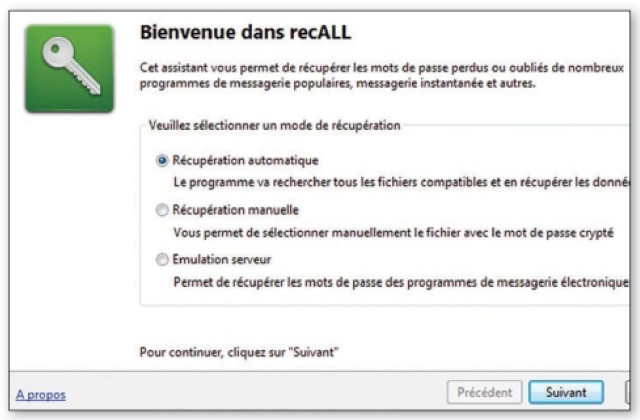
By following our link, you'll see that the main page is in Polish. You can ask Google to translate the site for you, but note that you can simply click the green button to download the software. The program interface is in French. Upon startup, recALL offers several options: choose Automatic recovery.
2. Retrieve passwords
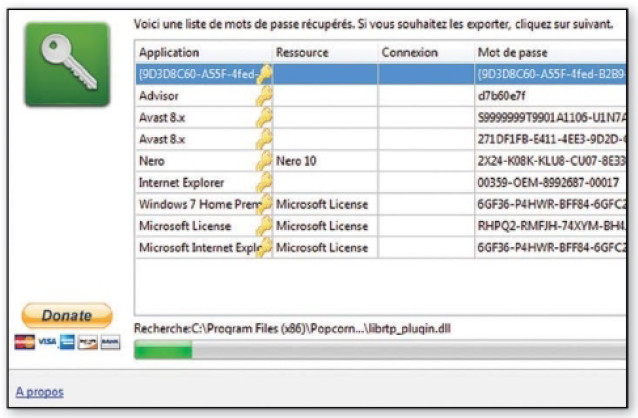
The software scans your entire hard drive for every last password. This may take several minutes, but in the end, you'll have absolutely all the passwords your PC contains, including Wi-Fi passwords and license keys. By doing FollowingYou can save the results in CSV, HTML, TXT, ZIP or KeePass formats.
3. Proceed manually
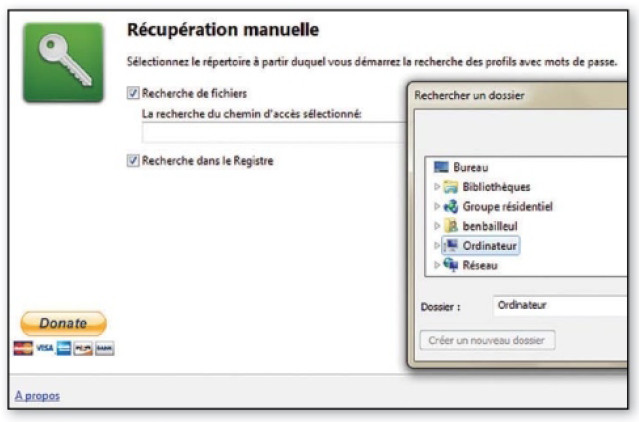
There Manual retrieval is more precise and faster, but you need to know where to look. Click on the folder icon at the end of the search bar, and check Search the registryFinally, if your POP, SMTP or FTP application is not in recALL's compatibility list, you can still emulate a server of this type to recover passwords.
4. Emulate a server
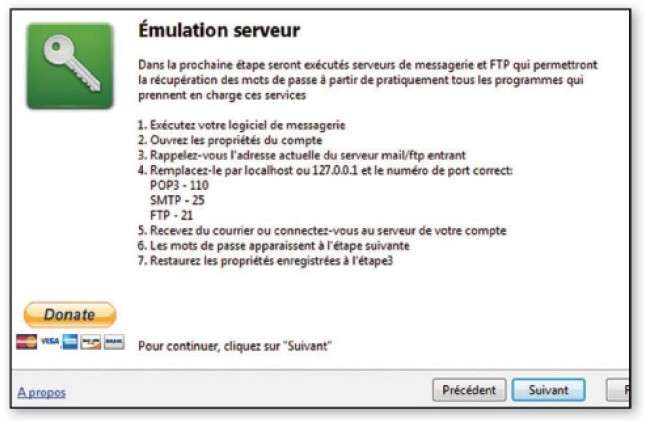
Choose the third option, do Allow access When your firewall wakes up, follow the instructions. You need to point your POP software to the IP address. 127.0.0.1 and send a request (a message, for example). RecALL will intercept the password on the fly. Here too, you can save the results to a file.
This article was updated on September 30, 2017