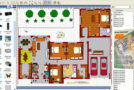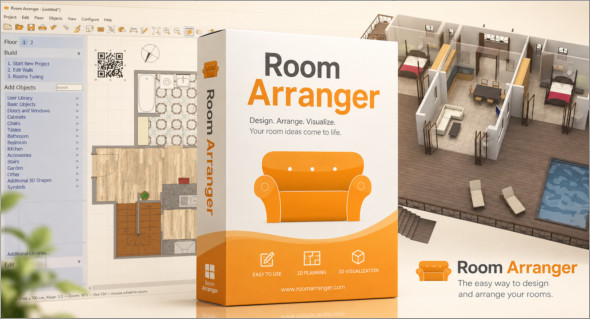
Room Arranger is a 3D room/apartment/floor planner with a simple user interface. Once you grasp the basics, you can design whatever you envision. With a library of objects available, you can create your own furniture. You can also use SketchUp Pro.
Thanks to its intuitive features, Room Arranger allows you to quickly visualize the layout of a space before implementation. Whether you're rearranging a bedroom, furnishing an apartment, or preparing an interior design project, the software offers a realistic 3D view to test different configurations and optimize every square meter.
Easy to use
Room Arranger is a small, compact program. Yet, it allows you to design almost anything you can imagine. Once you understand the basics, it's easy to move on to the next level.
Almost all functions have keyboard shortcuts, so you can learn to be quite fast in Room Arranger.
3D visualization
3D can give you a better impression of your design. Room Arranger not only lets you fly over the scene, but you can also walk through it as if you were really there.
Large library of objects
There are nearly 300 objects in the standard object library. Furniture and other equipment for each of them, you can modify their dimensions exactly as you wish.
Furthermore, you can quickly and easily design all your special objects directly in Room Arranger; there's a set of 3D objects specifically for such needs. Some users have contributed to the online object library and shared their work.
The measure
There is a measurement tool in Room Arranger that helps you check if there is enough space left for other objects, or simply to visualize the dimensions of the project.
The software also measures room areas, wall areas, and other useful values. It will allow you to copy and paste these into Excel for further processing.
Print at scale
Printing is an integral part of a designer's work. Professional architects typically require prints in 1:50 or 1:100 scale, which is possible in Room Arranger.
If you only need a small A4 printer, the software can print the project across multiple pages. You simply glue all the sheets of paper together.
Build on the floor plan image
Drawing walls can be very time-consuming when designing an apartment or house. Therefore, there's a way to make it easier if you need an image or photo of the floor plan.
Conclusion
Room Arranger is a practical and intuitive solution for easily designing 2D and 3D interior layouts. Thanks to its numerous design tools, diverse object library, and user-friendly interface, it's suitable for both individuals and professionals looking to efficiently organize a space. Whether you're rearranging a room, preparing a real estate project, or testing different furniture arrangements, this software offers a simple and effective way to visualize your ideas before they're implemented.
Version : 11.2.1.801
Language : Multilingual (French included)
Size : 43.16 Mo /Portable: 36.33 Mo
Configuration:
– Windows (x64 Bits): 7, 8, 8.1, 10, 11
Download Room Arranger v11.2.1.801
Download Room Arranger Portable v11.2.1.801
Cet article a été mis à jour le 22 September 2026