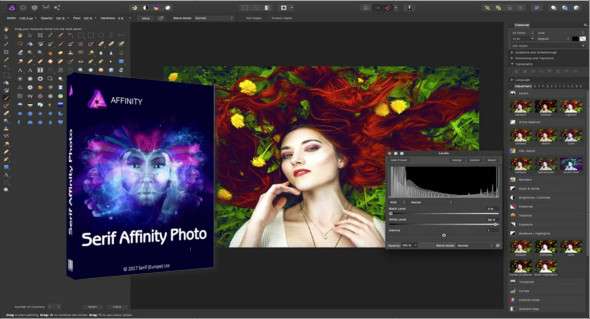
Serif Affinity Photo is a professional-quality photo editing application that allows users to retouch and enhance photos with various powerful tools. You can also use Corel PaintShop.
A variety of image editing and retouching tools delivers incredible output. Affinity Photo quickly performs all image editing tasks, and keyboard shortcuts put frequently used functions at your fingertips. It can transform digital images into flawless masterpieces and gives you greater control over your photos. Furthermore, it allows users to achieve fast and accurate results.
A variety of tools, including pencils, brushes, erasers, blurring, and cloning tools, make it a productive environment. The paint bucket helps with color selection and supports customizing color details in images. Zoom in on images while working using a magnifying glass and edit them in greater detail. Apply different filters and adjust a variety of image details.
Serif Affinity Photo Features
– A complete image editing and retouching application
– Improve the appearance of digital photos
– Retouch and adjust photos and improve photo quality
– Easily enhance images and get quick and convenient results
– Classic photo manipulation tools and customize different aspects of photos
– Image manipulation tools with support for custom brushes, eraser, and pencil
– Clone tool, correction tool, blur tool, pen and a set of other tools to enhance images
– Zoom in and out on specific portions of the image using the magnifying glass tool
– Various classic image manipulation tools as well as numerous filters and effects
– Sharpness, color, noise, distortion, blur categories
– Haze removal and various image correction tools
Version : 2.6.5.3782 /Mobile: 2.6.3.3322
Language : Multilingual (French included)
Size : 731.50 MB / Laptop: 721.24 MB
Configuration:
– Windows (x64 Bits): 7, 8, 8.1, 10, 11
Download Serif Affinity Photo v2.6.5.3782 (x64)
Download Serif Affinity Photo Portable v2.6.3.3322
This article was last updated on October 28, 2025