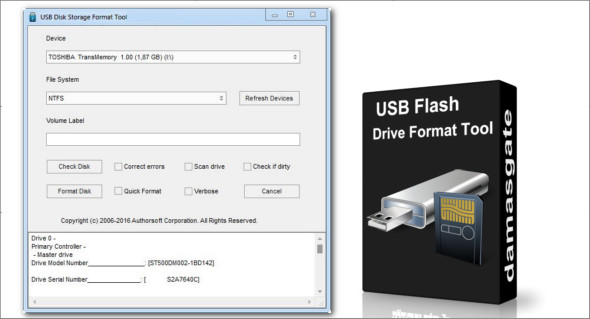
USB Disk Storage Format Tool is a small application that allows you to scan and check a USB storage device for errors, and then repair them.
This program can quickly format your USB drive, ensuring everything stays organized for an extended period. The formatting process is fast and secure. You can erase data and free up space that wasn't available for deletion using traditional methods. The USB Disk Storage Format Tool utility allows you to quickly and thoroughly format virtually any USB flash drive with your choice of partition type: FAT, FAT32, exFAT, or NTFS.
The user interface is simple and even the inexperienced user can handle the quick and secure USB flash drive formatting process.
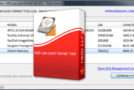
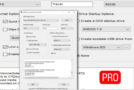
Once plugged in, the key will appear in the main window under the Device tab, then you can enter a volume label name, check and fix the disk or simply format the disk and get free space.
Remove malware
This utility, thanks to its formatting capabilities, allows you to remove all signs of malware, meaning you will be able to use your USB drive safely again.
At startup, the process will also correct any partition errors if any exist on the storage disk.
Before the USB drive is formatted, you can scan it for known errors.
USB Disk Storage Format Tool has the ability to create FAT32 volumes larger than 32 GB, offering more freedom of use to the user.
Safety tested
The software has been tested on numerous storage devices for security and stability. Some of the USB drives used in the tests include: Compact Flash, CF II card, Memory Stick Duo Pro, SDHC, SDXC, USB flash drive, pen drive, SanDisk, Kingston, Transcend, Corsair, HP, Sony, Lexar, Imation, Toshiba, PNY, ADATA, Verbatim, LaCie, Panda, Seatech, SDKSK9, Silicon Power, IronKey, and HDE.
Features :
– Fast format and secure format.
– Erase all data and delete space on flash drives that cannot be deleted in a traditional way.
– Remove all traces of malware that may have infected it.
– Correct any partition errors where applicable.
– Create a volume label for USB disk drives.
– Scan the drive for errors before formatting.
– Create a FAT32 volume larger than 32 GB.
– Tested with thousands of flash readers.
Conclusion
USB Disk Storage Format Tool is ideal for users who need clean, 100% functional % USB drives without any errors. The application runs smoothly, without system overhead, and is very easy to use, with the main functions clearly displayed in the main window.
Configuration:
– Windows (x32/x64 Bits): XP, Vista, 7, 8, 8.1, 10
– Processor: 1 GHz
– RAM: 1 GB
– Disk space: 2 MB
Language : English
Size : 0.5 MB
This article was updated on April 14, 2018