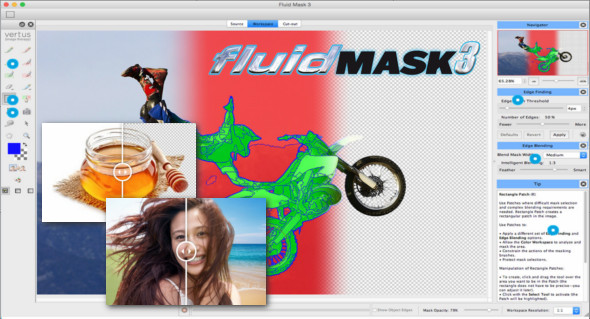
Fluid Mask 3 is an image masking tool that lets you easily create ultra-fine mask selections. You can change, remove the background, or anything else you want. With specialized technology for targeting even the most complex areas, it gives you the freedom to manage and control image objects like hair, trees, glass, and translucent fabrics. Fluid Mask works as a standalone application and as a Photoshop plugin.
Intelligent edge fusion
Fluid mask 3 incorporates the width and morphology of an edge. Its intelligent blending comes closest to extracting the true character of the image.
On-screen help and tips
Fluid Mask 3 includes an information window to guide the use of its tools, with practical tips and advice to help you. These are also linked to a detailed user manual containing more in-depth information.
Selection based on color
Use the Color workspace and color sampler to make extremely precise mask selections.
Localized edge detection
Fluid Mask 3 allows you to isolate difficult areas and apply alternative selections with all-new edge search options, making it easier to use difficult drill bits.
Localized merge options
Fluid Mask 3 includes complex blending tools for a patch, allowing you to adjust localized blending parameters to differ from those of the larger image. Combine multiple blending techniques on a single image.
Adjustable workspace resolution
By adjusting the working resolution of the segmentation processing, you can create wider, smoother segments and choose to ignore the finest details. Furthermore, there is no loss of image quality.
Configuration:
– Windows (x32/x64 Bits): XP, Vista, 7, 8, 8.1, 10
– Processor: 1 GHz
– RAM: 1 GB
Language : English / German
Size : 44.2 MB
This article was updated on October 14, 2018