VideoCleaner is a unique program designed to assist law enforcement personnel with forensic tasks, although it is available to anyone interested in using it. The video enhancement software processes digital images and almost all video formats, including proprietary formats.
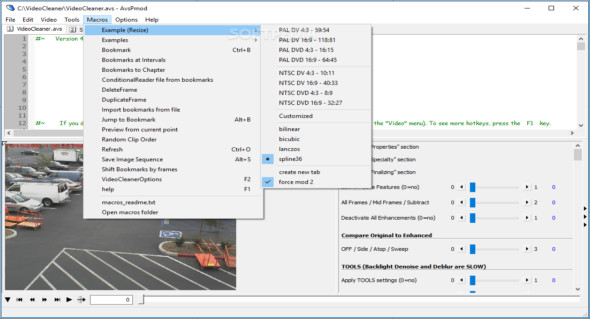
Although quick and simple, you should keep in mind that the application also installs AviSynth and FFDshow on your computer. Since it relies on the former, the application is accessed through the AvsP application, which serves as its interface.
Packs several advanced tools to make images clearer
Despite its somewhat clunky interface, you'll be pleased to know that the program includes several impressive features. After all, let's not forget that the idea behind the application is to help you make the various details of your videos and photos more apparent.
Among the circumstances in which the tool can be useful, you can count on detecting fast-moving objects, brightening or darkening scenes, correcting blurry videos, enlarging video details, removing artifacts located randomly in the video frame, or cleaning up an image to see a license plate, just to name a few.
On the other hand, it is worth mentioning that the program may not be the best choice for processing files with noisy sound or display motion blur where primary and adjacent details are mixed together.
An advanced tool that can help process potential evidence files
Originally developed for law enforcement, VideoCleaner has become a transparent, open-source tool for the general public. Whether you're trying to analyze blurry live footage or blurry snapshots captured by your surveillance cameras, the program can lend a hand.
Configuration:
– Windows (x32/x64 Bits): XP, Vista, 7, 8, 8.1, 10
– Processor: 1 GHz
– RAM: 1 GB
Language : English
Size : 88.3 MB
This article was updated on July 28, 2018