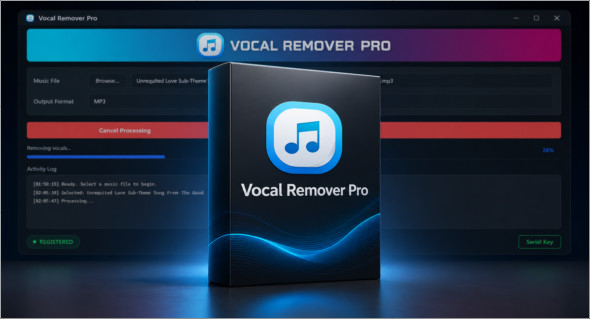
Vocal Remover Pro This software is designed to remove or reduce vocals from a song, making it easy to create an instrumental track for karaoke, vocal training, or personal music production. Using an AI-powered model, it analyzes the original audio file and attempts to isolate the vocals, singing, or vocal parts to generate a new version with primarily the background music. The application can be used with files stored on the computer and supports several common audio formats, including MP3, WMA, M4A, WAV, OGG, and AAC/AAC.
Vocal Remover Pro is especially suited to karaoke enthusiasts, singers, content creators, and users who want to quickly obtain an instrumental version of a song. Its intuitive interface allows you to process tracks without advanced technical knowledge, while its fast processing engine can produce a result in seconds, depending on the file. In some cases, the vocals may not disappear completely, but they are usually significantly reduced to make the track more suitable for singing or practicing. You can also use Adobe AuditionA more advanced professional audio solution for editing, mixing, and sound processing, available here: https://www.trucnet.com/adobe-audition/
Key features of Vocal Remover Pro
- Removing or reducing vocals in music files.
- Automatic creation of instrumental tracks for karaoke.
- Using an AI model to separate voices from music.
- Compatible with MP3, WMA, M4A, WAV, OGG and AAC/ACC files.
- Ability to process songs stored locally on the computer.
- Generation of background tracks for vocal training and singing.
- Fast processing, with an average of about 5 seconds per track depending on the file.
- Unlimited use to create as many karaoke tracks as needed.
- Simple and intuitive interface, suitable for beginners.
- The result is focused on sound clarity and high-precision voice reduction.
- Suitable for singers, karaoke enthusiasts and audio creators.
- Can significantly reduce voices when complete suppression is not possible.
Summary
Vocal Remover Pro is a practical solution for quickly transforming a song into an instrumental track. Thanks to its AI processing, compatibility with multiple audio formats, and ease of use, it allows you to easily create karaoke tracks from existing music files. It's a useful tool for singing, practicing, preparing performances, or producing instrumental versions without lead vocals.
Version : Pro 3.0.0
Language : English
Size : 278.68 MB
Configuration:
– Windows (x64 Bits): 10, 11
Download Vocal Remover Pro v3.0.0
This article was last updated on May 29, 2026