WhatsApp is a lightweight application used worldwide to send text and multimedia messages to others. It's a fast, simple, secure, and reliable messaging app. While there are many options online for interacting with friends and family, WhatsApp remains the most popular.
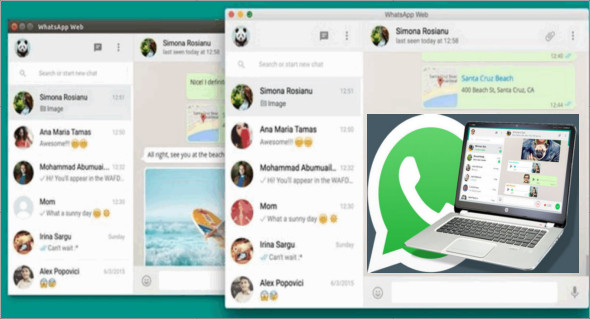
WhatsApp is primarily a mobile app, but you can also use it on your desktop computer. WhatsApp for Windows PC has a very simple and minimalist user interface with a wide range of basic functions. To use this app, you need a WhatsApp account. When you launch the app for the first time, you'll need to scan a QR code with your phone to sync your device and grant access to your account.
Smooth design
This application comes with a sleek and minimalist user interface that encompasses a wide range of simple functions. Therefore, many users can use its controls without significant effort, regardless of their PC skills or prior experience with similar applications.
Send text messages, recordings, or images
WhatsApp can help you stay in touch with your contacts by offering several ways to do so. You can choose between sending text messages, audio or video recordings, images, and various other documents. It's possible to take photos with your webcam and send them instantly or select files from your computer.
In addition, the chat window offers you an exceptional number of emoticons that you can include in your messages by clicking on the dedicated button and choosing the one you prefer from the lists.
Group cat care
You can create group discussions by selecting the "New Group" option from the context menu, choosing a group icon by taking or uploading a photo, and setting a group topic. After adjusting the necessary settings, you can add participants by selecting them and clicking the checkmark icon.
If you no longer wish to display a particular conversation in the main window, you can quickly remove it by deleting it entirely or archiving it. This can be done by right-clicking on the desired item and selecting the corresponding options, or by using the functions in the dedicated Conversation menu.
Configuration:
– Windows (x32/x64 Bits): 8, 8.1, 10
– Processor: 1 GHz
– RAM: 1 GB
Language : Multilingual (French included)
Size : 256.3 MB
This article was updated on August 31, 2018