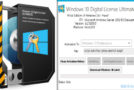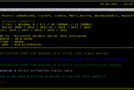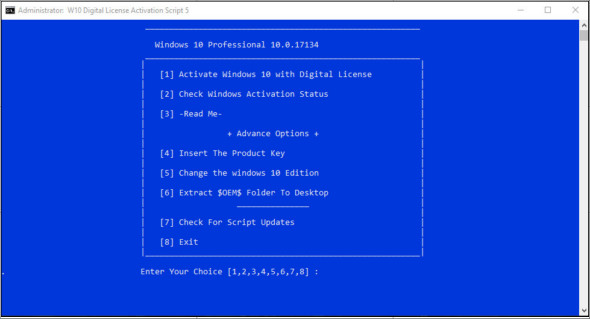
Activate Windows 10 permanently with a digital license W10 Digital License Activation Script.cmd
Notes:
– All files are 100% clean on Virus Total.
– This script does not install any files on your system.
– Windows update must be enabled at the time of activation.
– An internet connection is required for instant activation, but if you run it in offline mode, the system will automatically activate on the next online contact.
– The use of VPNs, and privacy, anti-spyware tools, privacy-based hosts and firewall rules can cause problems in successful activation.
– After activation, in the same hardware, if you reinstall the same edition of Windows 10, the system will automatically activate, but this only applies to the retail version of Windows 10.
If you are using the VL version of Windows 10, users will need to enter this Windows edition product key. Afterward, the system will activate automatically. You can enter the product key manually, or you can use the tool's "Insert default product key" option. This saves the entire ticket generation and activation process.
If your system is already permanently activated, but you're interested in testing how this script will activate, then the command prompt will follow in an elevated command prompt.
slmgr /upk This will put the system in an unlicensed state and after that you can test the activation process.
– To make Windows 10 ISO pre-activated
Use PowerISO to open your ISO 10 window. Now copy the $ OEM $ folder from here and paste it into the ISO's Sources folder. The directory will appear like this: iso:\sources\$ OEM $\. Now, click the Save As option in PowerISO.
Windows 10 Supported Editions:
Core (Home) and (N)
Core Single Language and (N)
Professional and (N)
Professional Education and (N)
Professional Workstation and (N)
Education and (N)
Enterprise and (N)
EnterpriseS (LTSB) 2016 and (N)
What's new ?
* Added the "Modify Windows 10 Edition" option
* Fixed an issue in detecting permanent activation before activation in non-English OS.
* The separate $ OEM $ folder is now deleted and replaced by the option "Extract the $ OEM $ folder to the desktop".
* The edit detection method is changed for the best configuration.
(In the key step of the installed product, the accuracy is 100%, but in the editing of the 'Product removed' phase, it may or may not revert to Pro or Core.)
(regardless of your database installation) The script will display a warning when it detects the deleted key step.
There's no method available in cmd to detect edits with an accuracy of 100% in 'Product Key Deleted'. You should know that.
hwidgen will not work in the deleted key phase, the angelkyo tool will crash and the Ratiborus tool will change the edit.
* Many codes are optimized now.
* The archives have been converted to zip, so no third-party tools are needed to open them.
Configuration:
– Windows (x32/x64 Bits): 10
– Processor: 1 GHz
– RAM: 1 GB
Language : English
Size : 1.3 MB
This article was updated on July 27, 2018