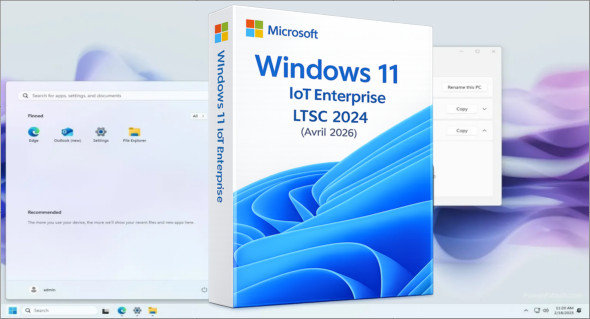
The version Windows 11 IoT Enterprise LTSC 2024 2in1 (x64) This edition is specifically designed to offer long-term stability, performance, and reliability. This LTSC version features streamlined update management, making it ideal for professional and industrial environments. Combining two editions into a single ISO, it provides a practical and optimized solution for systems requiring continuous and secure operation.
Following the recent release of this ISO, the system is now based on the build 26100.8246.
The purpose of this ISO is to offer a choice between two versions, one more optimized than the other, bundled into a single file. In case of problems, it is now possible to uninstall the latest monthly update.
This ISO contains the following versions:
– Windows 11 IoT Enterprise LTSC 2024
– Windows 11 IoT Enterprise LTSC 2024 Optimized
– This ISO includes workarounds for "RAM / Disksize / TPM / Secureboot" (Optional by default)
You don't need to tweak it via Rufus, it's done by default on IoT 2024 devices!
(Some CPUs that are 10-15 years old or more will not be able to run it…)
Changes made to both editions:
– Integration of updates "except Defender" (as of April 2026)
– The .NET Framework 3.5 and 4.8.1 are already available
– Added a tag to the boot menu on the ISO
Changes made to the optimized editions:
Tweaks:
Classic GUI – Enabling the photo viewer (manually)
Desktop – The desktop icon is visible on the desktop.
Explorer – Disabling the list of recently opened programs
Explorer – Disabling user tracking
Explorer – Increased icon cache to 4MB
Explorer – Open File Explorer on (This PC)
Explore – Recent Document History (delete on close)
Explore – Recent Document History (Do not save)
Explorer – Removing recent folders from the navigation pane
Explorer – Removing recent files from the navigation pane
Explorer – Removal of the "Our recommendations" section from the Start menu
Explore – Remove the “shortcut to…” suffix from created shortcuts
Explorer – Run in a separate process
Service – Disabling the “Wsearch and DiagTrack” services
System – Automatic hard drive encryption (default is OFF)
System – Disabling the reserved system cache (~7GB) (default is OFF)
System – Disable automatic defragmentation
System – Disabling bandwidth limit
System – Enabling a larger system cache (HDD and SSD)
System – Improved disk check time (5 sec)
System – Improved system shutdown speed
System – Improved Windows shell response
System – Reduced launch time for desktop applications at startup
* Basic telemetry is supposed to be pretty much completely disabled thanks to a script on MDL
Version : IoT Enterprise LTSC 2024 Build 26100.8246
Language : French
Size : 5.30 GB
Download Windows 11 IoT Enterprise LTSC 2024 2in1 Fr (Avril 2026)
This article was last updated on April 18, 2026