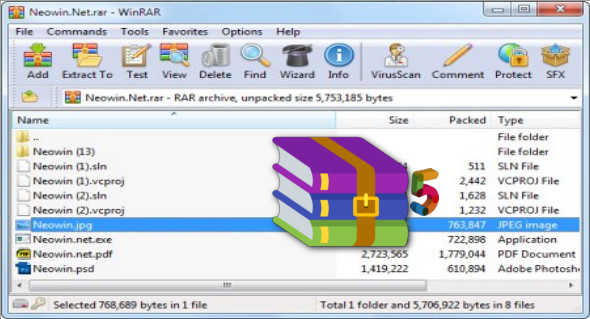
WinRAR is the most widely used compression and decompression tool, which helps you make the most of disk space or quickly publish and upload compressed files.
WinRAR supports several formats for the most popular files you find on the internet (RAR, ZIP, CAB, ARJ, LZH, ACE, TAR, GZip, UUE, ISO, BZIP2, Z, and 7-Zip). It's also user-friendly, and you don't need to be a computer expert. With WinRAR, you can manage files as you wish, open and compress files, encrypt files with a password, and much more.
Features :
– WinRAR provides full support for RAR and ZIP archives and is capable of decompressing CAB, ARJ, LZH, TAR, GZ, ACE, UUE, BZ2, JAR, ISO, 7Z, Z archives.
– WinRAR offers an interactive graphical interface using the mouse and menus, as well as the command line interface.
WinRAR is easier to use than many other archivers thanks to its special "Wizard" mode, which provides instant access to basic archiving functions through a simple question-and-answer process. This avoids confusion in the early stages of use.
– WinRAR offers you the advantage of archiving encryption with AES (Advanced Encryption Standard) technology with a 128-bit key.
– WinRAR supports files and archives up to 8,589 billion gigabytes. The number of archived files is, for all practical purposes, unlimited.
– WinRAR offers the ability to create self-extracting and multi-volume archives.
Recovery records and recovery volumes allow even physically damaged archives to be reconstructed.
What's new ?
1. The "Delete archive" extraction option deletes all volumes even if the user started the extraction from the first RAR volume, but the first volume is present and all files are correctly extracted. In this case, previous versions ignored "Delete archive" even if WinRAR was able to locate the first volume and process the volume defined from the beginning.
2. The compression ratio bar does not appear on the "Archive" page of the Explorer file properties for archives with encrypted filenames. WinRAR cannot reliably calculate it for such passwordless archives, and previously it only displayed 0 %.
3. Bug fixes:
a) WinRAR displays the message "The specified password is incorrect" when attempting to open the RAR5 archive with encrypted filenames if an incorrect global password has been set with Ctrl + P.
b) A memory management bug in the password dialog box could lead to accessing already freed memory, followed by a deadlock. This issue may also pose security risks.
c) Fixed a crash that occurred when processing corrupted RAR archives. This issue may also be associated with security risks.
d) On startup, WinRAR may cause a brief flicker in the menu bars of some other applications.
e) The WinRAR command "Find" corresponds to "String to find" against all archived files, ignoring the "File names to search" mask when searching in CAB archives.
f) The SFX command of the "License" module did not define a license window title.
g) If "Startup folder" in WinRAR settings included the backslash, WinRAR ignored the first "Increase one level" command.
Configuration:
– Windows (x32/x64 Bits): XP, Vista, 7, 8, 8.1, 10
– Processor: 1 GHz
– RAM: 1 GB
Language : French
Size : 6.0 MB
This article was updated on September 6, 2018