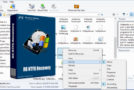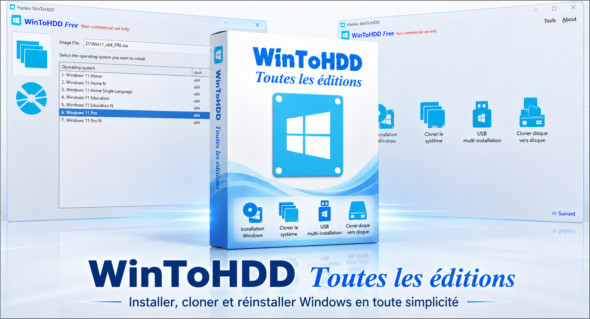
WinToHDD is a handy utility that lets you install and reinstall the Windows operating system without needing CDs or DVDs. With WinToHDD, you can easily install Windows on other drives and reinstall your current Windows installation. You can also use WinToUSB.
With this program, you can clone your current Windows installation, create a copy of your Windows installation files, and save them to another drive. In addition to creating a bootable USB drive containing all the operating system installation files, WinToHDD also provides a convenient way to install or clone Windows without a physical disc or bootable disk.
The WinToHDD software comes in several editions:
WinToHDD Technician
WinToHDD Enterprise
WinToHDD Professional
WinToHDD Features
– Windows Reinstallation: Windows Reinstallation allows you to install Windows directly from ISO, WIM, ESD, SWM, VHD, and VHDX files without using a CD/DVD drive or USB connection. With this feature, you can easily reinstall Windows in just a few clicks, even if you have no computer skills.
– Windows installation: Using this feature, you can install Windows on disks other than those on which the Microsoft Windows operating system is installed using ISO, WIM, ESD, SWM, VHD or VHDX image files or a CD/DVD drive.
– System cloning: The system cloning feature allows you to clone the existing operating system from the old disk to the new disk (HDD/SSD). This feature allows you to accurately copy the existing Windows system to another disk.
– Multiple USB installation: With this feature, you can install a USB key for any version of Windows from the same BIOS USB key and install UEFI.
Conclusion
WinToHDD is a handy tool that allows you to install, reinstall, clone, or migrate Windows without needing a CD/DVD drive or a bootable USB flash drive. Thanks to its simple and user-friendly interface, it simplifies operating system deployment, even for users with limited technical experience.
Whether you want to reinstall Windows, transfer your system to a new hard drive, or create an exact copy of your current installation, WinToHDD offers a fast and efficient solution. Its support for different Windows versions and its cloning capabilities make it particularly useful for system maintenance, backup, and migration.
Version : 7.0.2 All editions /Portable: Technician v7.0.2
Language : Multilingual (French included)
Size : 91.29 MB
Configuration:
– Windows (x32/x64 Bits): 7, 8, 8.1, 10, 11
Download WinToHDD v7.0.2 + Portable
This article was updated on June 2, 2026