Hardware drivers facilitate communication between Windows and your computer's hardware. Needless to say, outdated drivers can lead to program crashes, errors, incompatibility issues, and even data loss. You can usually get the latest driver versions directly from the manufacturer, such as Wise Driver Care, saving you the time of searching for the right website and package for your PC.
Find outdated or problematic drivers and create backups to restore them later
Starting the scan requires pressing a button. Wise Driver Care scans your computer for outdated or abnormal drivers (which may encounter errors) and displays its scan results in the main window. Additionally, residual files are also detected, and you can start cleaning them with a single click.
To resolve the detected issues, select the desired items and press the "Fix" button. The application will search online for the latest installers and help you deploy them to your PC. While some drivers are updated instantly, others require a restart for the changes to take effect.
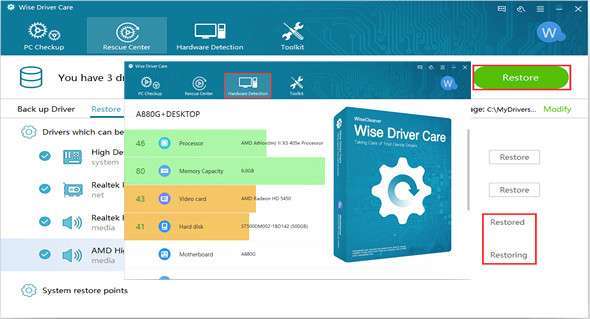
Aside from updating drivers, you can also use Wise Driver Care to back up drivers to a custom folder. The application lets you select which drivers to back up and allows you to restore previously backed-up copies of the driver if needed.
Additional functions to assess PC performance and troubleshoot some problems
Aside from driver management, this application has a section dedicated to evaluating your PC's performance. Based on the ratings assigned to various components, such as the processor, memory capacity, video card, hard drive, etc., Wise Driver Care displays an overall score.
Configuration:
– Windows (x32/x64 Bits): XP, Vista, 7, 8, 8.1, 10
– Processor: 1 GHz
– RAM: 512 MB
– Disk space: 10 MB
Language Multilingual (French included)
Size : 7.54 MB
This article was updated on November 10, 2017