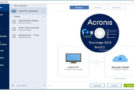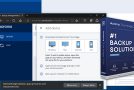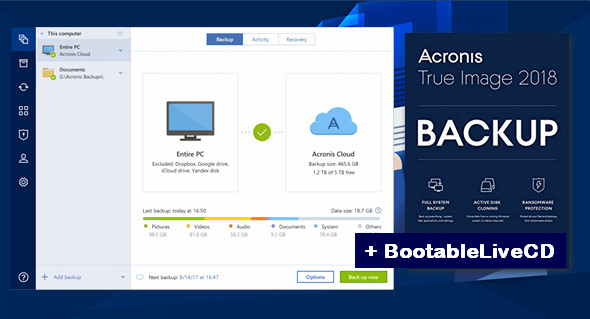
Acronis True Image 2018 is a comprehensive image backup solution for your PCs, Macs, mobile devices, and social media accounts. It can back up your documents, photos, emails, selected partitions, and even the entire hard drive, including the operating system, applications, settings, and all your data. Acronis True Image 2018 is an integrated backup and recovery software that ensures the safety of all the information on your PC.
Backups allow you to recover your computer system in the event of a disaster, such as data loss, accidental deletion of critical files or folders, or a complete hard drive failure.
Online Backup allows you to store your files and disks on Acronis Cloud.
Your data will be protected even if your computer is lost, stolen or destroyed, and your data can be fully recovered on a new device, if necessary.
– Now with Active Ransomware Protection Included!
Acronis True Image 2018 Main Features:
– Disk backup to local storage and Acronis Cloud
– Backing up files to local storage and Acronis Cloud
– Rescue Bootable Media
– Hard drive cloning
– Data archiving
– Protection of family data
– File synchronization
– Security and privacy tools
– Full backup of the disk image.
– Back up your computer, including your operating system, applications and data, to an external hard drive or NAS.
– Universal restore. Restore backed-up data, including your operating system, application, and all your data to your existing computer or a completely separate replacement, or restore specific data as needed.
New in Acronis True Image 2018:
* New! Backup statistics and activity graphically represent the contents of a backup, providing statistics on the categories of backed-up files, such as documents, photos, videos, music, and others. Backup activity streams allow you to track the history of backup operations from the creation of a backup, its operational status, and analyze statistics for successfully backed-up data.
* New! The Active Protection Dashboard monitors the number of potentially dangerous processes and the number of files copied to the cache to protect against risky processes. The dashboard provides statistics on blocked and safe processes and allows you to manage a permissions list so that your trusted applications can run normally.
* New! Conversion to a virtual machine – Convert Acronis backup files to Microsoft's virtual hard disk format to ensure the system will boot a virtual machine with Hyper-V. You can also mount a .vhd(x) file as a virtual hard disk.
* New! Faster file and system recovery with the WAN optimization option enabled, which increases download speeds from Acronis Cloud data centers.
* New! Faster incremental backup for disk and partition backups with Acronis Changed Block Tracker (CBT). The Volume Tracker reduces the time taken to perform incremental or differential images by monitoring changes to an image in real time.
* New! The laptop power setting allows you to pause backups while working on battery power to conserve battery life. Paused backups will automatically resume after the AC adapter is connected.
Usability and other improvements:
– Mobile devices are available in the list of backup sources.
– Access the save context menu with a right click.
– The progress bar has been updated with the application window blur.
– Fixed the issue with the search dialog box which did not provide the functionality to recover multiple files from different backup versions.
– Fixed the issue with the ability to move a backup from a password-protected network to a local drive or another share.
Configuration:
– Windows (x32/x64 Bits): XP, Vista, 7, 8, 8.1, 10
– Processor: 1 GHz
– RAM: 1 GB
– Disk space: 2 GB
Facility :
1. Disconnect from the internet!
2. Install True Image, exit the installer (DO NOT LAUNCH True Image!)
3. Wait approximately twenty seconds for background processes to finish.
4. Launch ActivatorAcronisTI(H).exe (Activation folder), you should get "activation successful!"
5. Reconnect to the internet; you can now use the application.
* If True Image asks to be activated again: restart the activator
Bootable
Burn the image AcronisBootableLiveCD.iso or use the software Rufus to create a bootable USB drive
Language Multilingual (including French)
Size : 1.58 GB
This article was updated on September 26, 2017