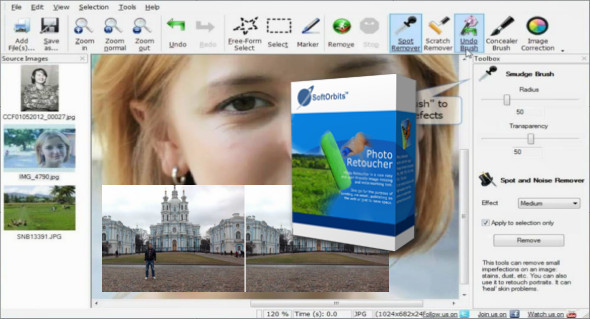
With SoftOrbits Photo Retoucher, you can easily and seamlessly remove unwanted objects from your photos without leaving a trace. New, intelligent content-filling algorithms analyze your image and recreate the original background behind the object you want to cut out. It's hard to believe, but it works perfectly.
SoftOrbits Photo Retoucher can remove scratches and stains, clean film grain and digital noise, rebuild cracks and damaged areas, and erase marks and writing from your photos in just a few clicks.
Retouching portraits and removing skin imperfections
With SoftOrbits Photo Retoucher, removing skin imperfections and retouching portraits is wonderfully easy. We don't believe in glamour, so we won't make your doll look like a plastic doll, but small things like scars, pimples, or freckles can be cleaned up well and without leaving a trace. Check out the following pair of snapshots. Which one is the better portrait?
Restoring old photos
Restoring old and damaged photos can be a tedious Photoshop experience—or a quick fix with SoftOrbits Photo Retoucher. The tool can detect and remove dust, scratches, cracks, and other imperfections from scanned prints and negatives. Smart content-aware algorithms automatically restore missing parts of the image, filling in imperfections to make them disappear without leaving a trace.
Configuration:
– Windows (x32/x64 Bits): XP, Vista, 7, 8, 8.1, 10
– Processor: 1 GHz
– RAM: 1 GB
– Disk space: 50 MB
Language Multilingual (French included)
Size : 45.4 MB
This article was updated on February 13, 2018