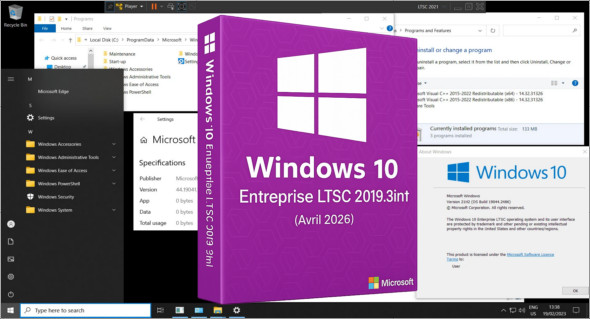
The version Windows 10 Enterprise LTSC 2019 3in1 (x64) is a reliable and optimized edition, designed to offer long-term stability and performance. Based on the build 17763.8644 (April 2026)This LTSC version stands out for its minimal update management, making it ideal for professional environments. Combining three editions into a single ISO file, it offers flexibility and ease of installation to suit user needs.
The purpose of this ISO is to offer a choice between three versions, with varying degrees of optimization, all contained in a single file. It also saves considerable time for those who frequently install Windows 10 LTSC, ensuring they always have the most up-to-date version available.
If you encounter a problem, it is now possible to uninstall the latest monthly update.
This ISO includes the following versions:
– Windows 10 Enterprise LTSC 2019
– Windows 10 Enterprise LTSC 2019 Optimized
– Windows 10 Enterprise LTSC 2019 Optimized v2
Basically, in LTSC (by default):
– No Cortana (some files are present…)
– No Windows Store
– No colony programs installed anywhere
Changes made across the 3 editions:
– Integration of embeddable updates "except Defender" (as of April 2026)
– The .NET Framework 3.5 and 4.8 are already available
– Added a tag to the boot menu on the ISO
Modifications made ONLY to optimized editions:
Tweaks:
Classic GUI – Enabling the photo viewer (manually)
Desktop – The desktop icon is visible on the desktop.
Explorer – Disabling the list of recently opened programs
Explorer – Disabling user tracking
Explorer – Increased icon cache to 4MB
Explorer – Open File Explorer on (This PC)
Explore – Recent Document History (delete on close)
Explore – Recent Document History (Do not save)
Explorer – Removing the “3D objects” folder from the navigation pane
Explorer – Removing recent folders from the navigation pane
Explorer – Removing recent files from the navigation pane
Explore – Remove the “shortcut to…” suffix from created shortcuts
Explorer – Run in a separate process
Service – Disabling the “Wsearch and DiagTrack” services
System – Disabling bandwidth limit
System – Enabling a larger system cache (HDD and SSD)
System – Improved disk check time (5 sec)
System – Improved system shutdown speed
System – Improved Windows shell response
System – Reduced launch time for desktop applications at startup
* Basic telemetry is supposed to be pretty much completely disabled thanks to a script on MDL
Additional modification made ONLY to the optimized v2 edition:
– Windows Defender -> Not available (Disabled)
Version : Enterprise LTSC 2019 3in1 Build 17763.8644 (x64)
Language : French
Size : 4.31 GB
Download Windows 10 Entreprise LTSC 2019 3in1 Fr x64 (Avril 2026)
This article was last updated on April 19, 2026