
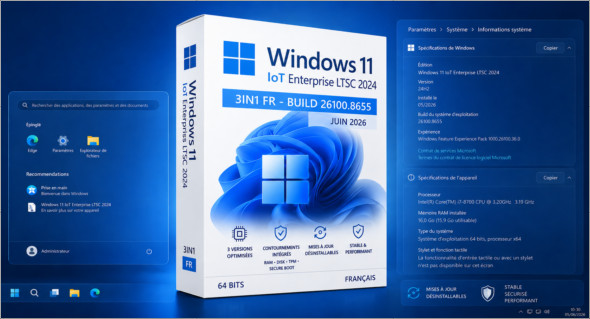
Windows 11 IoT Enterprise LTSC 2024 3in1 Fr – June 2026 This is a French ISO image based on Windows 11 IoT Enterprise LTSC 2024. Following the recent release of this ISO, the system continues under build 26100.8655with the latest updates integrated to provide a recent, stable and installation-ready base.
This ISO aims to offer a choice among 3 versions of Windows 11 IoT Enterprise LTSC 2024These versions are more or less optimized depending on the user's needs. They save time for those who regularly install Windows 11 LTSC and want a complete, up-to-date, and immediately usable ISO in French.
One of the advantages of this edition is the default integration of workarounds for RAM, disk size, TPM and Secure BootTherefore, you do not need to modify the image with Rufus, as these options are already included in the IoT 2024 editions. However, some very old processors, dating back 10 to 15 years or more, may not be able to run this version correctly.
In case of a bug or incompatibility after the latest monthly update, it is now possible to uninstall the latest cumulative updateThis offers greater flexibility and a convenient rollback solution after installation.
This ISO contains the following versions:
– Windows 11 IoT Enterprise LTSC 2024
– Windows 11 IoT Enterprise LTSC 2024 Optimized
– Windows 11 IoT Enterprise LTSC 2024 Optimized v2
Changes made across the 3 editions:
– Integration of updates "except Defender" (as of June 2026)
– The .NET Framework 3.5 and 4.8.1 are already available
– Added a tag to the boot menu on the ISO
Changes made to the optimized editions:
Tweaks:
Classic GUI – Enabling the photo viewer (manually)
Desktop – The desktop icon is visible on the desktop.
Explorer – Disabling the list of recently opened programs
Explorer – Disabling user tracking
Explorer – Increased icon cache to 4MB
Explorer – Open File Explorer on (This PC)
Explore – Recent Document History (delete on close)
Explore – Recent Document History (Do not save)
Explorer – Removing recent folders from the navigation pane
Explorer – Removing recent files from the navigation pane
Explorer – Removal of the "Our recommendations" section from the Start menu
Explore – Remove the “shortcut to…” suffix from created shortcuts
Explorer – Run in a separate process
Service – Disabling the “Wsearch and DiagTrack” services
System – Automatic hard drive encryption (default is OFF)
System – Disabling the reserved system cache (~7GB) (default is OFF)
System – Disable automatic defragmentation
System – Disabling bandwidth limit
System – Enabling a larger system cache (HDD and SSD)
System – Improved disk check time (5 sec)
System – Improved system shutdown speed
System – Improved Windows shell response
System – Reduced launch time for desktop applications at startup
* Basic telemetry is supposed to be pretty much completely disabled thanks to a script on MDL
Additional modifications applied ONLY to the optimized v2 editions:
– Windows Defender -> Not available (Disabled)
– Smart App Control -> Disabled
Version : IoT Enterprise LTSC 2024 Build 26100.8655
Language : French
Size : 5.41 GB
Download Windows 11 IoT Enterprise LTSC 2024 3in1 Fr (Juin 2026)
This article was updated on June 13, 2026