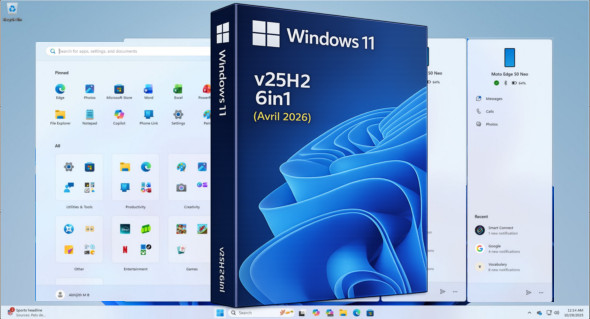
The version Windows 11 v25H2 6in1 (x64) This is a complete and recent edition that combines several versions of Windows 11 into a single ISO file. Updated to build 26200.8246 (April 2026), it offers improvements in performance, stability, and compatibility, making it ideal for users looking for a modern, optimized system that's ready to install with the latest available updates.
The goal of this ISO is to offer a wide choice between 6 versions, more or less optimized, grouped in a single file.
If you encounter a problem, it is now possible to uninstall the latest monthly update.
This ISO contains the following versions:
– Windows 11 Home
– Windows 11 Home Optimized
– Windows 11 Pro
– Windows 11 Pro Optimized
– Windows 11 Enterprise
– Windows 11 Enterprise Optimized
– This ISO includes workarounds for “CPU / RAM / Disksize / TPM / Secureboot”
You don't need to tweak it via Rufus, it's already done!
Changes made across the 6 editions:
– Integration of updates "except Defender" (as of April 2026)
Changes made to the optimized editions:
Tweaks:
Classic GUI – Enabling the photo viewer (manually)
Desktop – The desktop icon is visible on the desktop.
Explorer – Disabling the list of recently opened programs
Explorer – Disabling user tracking
Explorer – Increased icon cache to 4MB
Explorer – Open File Explorer on (This PC)
Explore – Recent Document History (delete on close)
Explore – Recent Document History (Do not save)
Explorer – Removing recent folders from the navigation pane
Explorer – Removing recent files from the navigation pane
Explorer – Removal of the "Our recommendations" section from the Start menu
Explore – Remove the "shortcut to…" suffix from created shortcuts
Explorer – Run in a separate process
Service – Disabling the “Wsearch and DiagTrack” services
System – Automatic hard drive encryption (supposed to be OFF)
System – Disabling the reserved system cache (~7GB)
System – Disable automatic defragmentation
System – Disabling bandwidth limit
System – Enabling a larger system cache (HDD and SSD)
System – Improved disk check time (5 sec)
System – Improved system shutdown speed
System – Improved Windows shell response
System – Reduced launch time for desktop applications at startup
* Basic telemetry is supposed to be pretty much completely disabled thanks to a script on MDL
Version : 25h2 Build 26200.8246 (x64)
Language : French
Size : 5.75 GB
Download Windows 11 v25h2 6in1 Fr Build 26200.8246 (April 2026)
This article was last updated on April 17, 2026